Stay safe on public WiFi with your own VPN.
Public WiFi exposes your data, and traditional VPNs still route traffic through third-party servers-leaving gaps in privacy and reliability.
Use your own network instead.
Overview
On public WiFi, your connection is exposed. Data can be intercepted. Access can be restricted. Even with a VPN, your traffic is still routed through shared infrastructure. That means slower speeds, inconsistent performance, and connections that can be flagged or blocked.
HomiPlay changes that. It connects you directly back to your home network-no third-party routing.
🥷 No exposure: Your connection is not exposed on public networks or shared nodes
🔐 Private by design: Your data stays within your own network
⚡ Stable and consistent: No shared infrastructure, no unpredictable slowdowns
Benefits
Stay logged in and use services safely on public WiFi
Skip paid VPN services-just use your own network
Access websites and services without getting blocked
Enjoy a consistent connection, without sudden drops
Setup Steps
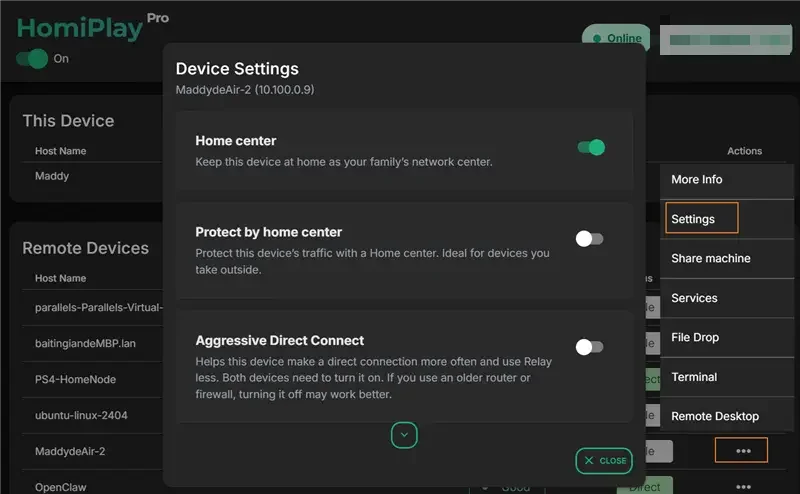
Enable Home Center Mode at Home
Before you travel, enable the "Home Center" mode in the HomiPlay settings on an always-on device at your home (such as a desktop PC).
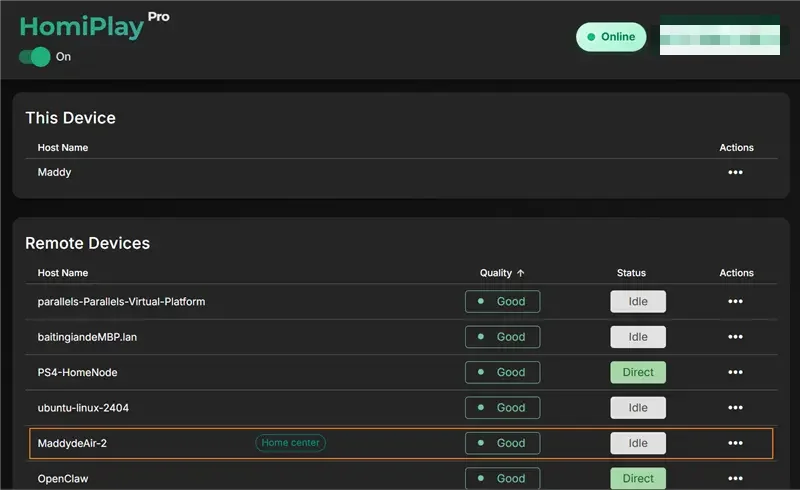
Verify Connection Status
Ensure the designated Home Center device is logged into your HomiPlay account and remains online.
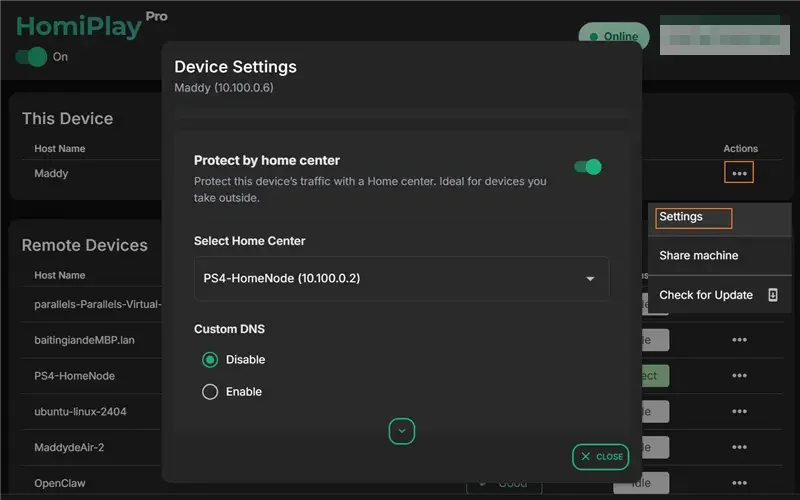
Enable Protect by Home Center on Your Portable Device
When you need secure internet access abroad, open HomiPlay on your laptop or phone, select your home device as the Home Center, and activate the "Protect by Home Center" feature.
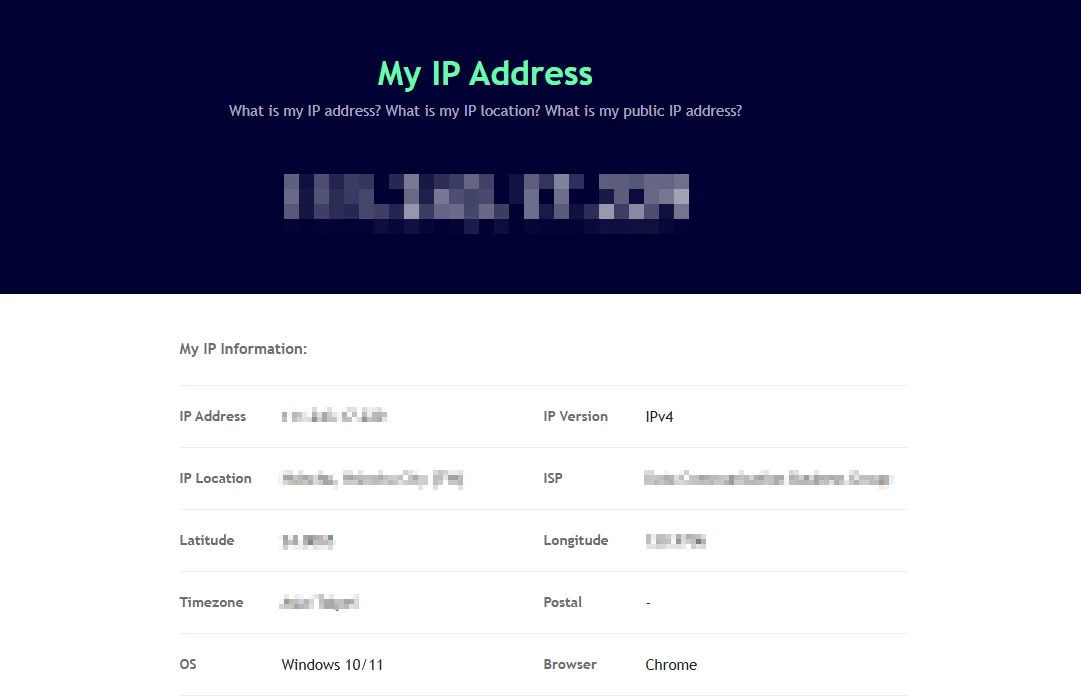
Browse Securely
Once connected, all your external network traffic is safely routed through your home network, allowing you to securely use online banking or stream local content.
Other Use Cases
Play your PS5 remotely just like you're at home.
Connect faster, play without lag, and enjoy clear visuals.
Learn MoreAccess Your Home NAS via HomiPlay
Securely and quickly access files, photos, and multimedia on your home NAS from anywhere.
Learn MoreDesktop | Cross-platform remote desktop, one click from the device menu
Works across Windows, macOS, Linux, Android, iPhone, and iPad. HomiPlay builds a secure virtual network between your devices and opens remote desktop right inside the app. No VPN, no static IP, no port forwarding.
Learn MoreMobile | Cross-platform remote desktop, one tap from the device menu
Works across Windows, macOS, Linux, Android, iPhone, and iPad. HomiPlay builds a secure virtual network between your devices and opens remote desktop right inside the app. No VPN, no static IP, no port forwarding.
Learn MoreDesktop | Move files between your devices with side-by-side folders
Open File Transfer inside HomiPlay to browse local and remote folders side by side and upload or download directly. No cloud drive or USB stick in the middle.
Learn MoreMobile | Move files straight from your phone to another device
Open File Transfer inside HomiPlay to browse remote folders and upload straight from your photo library or files. No cloud drive or USB stick in the middle.
Learn More